

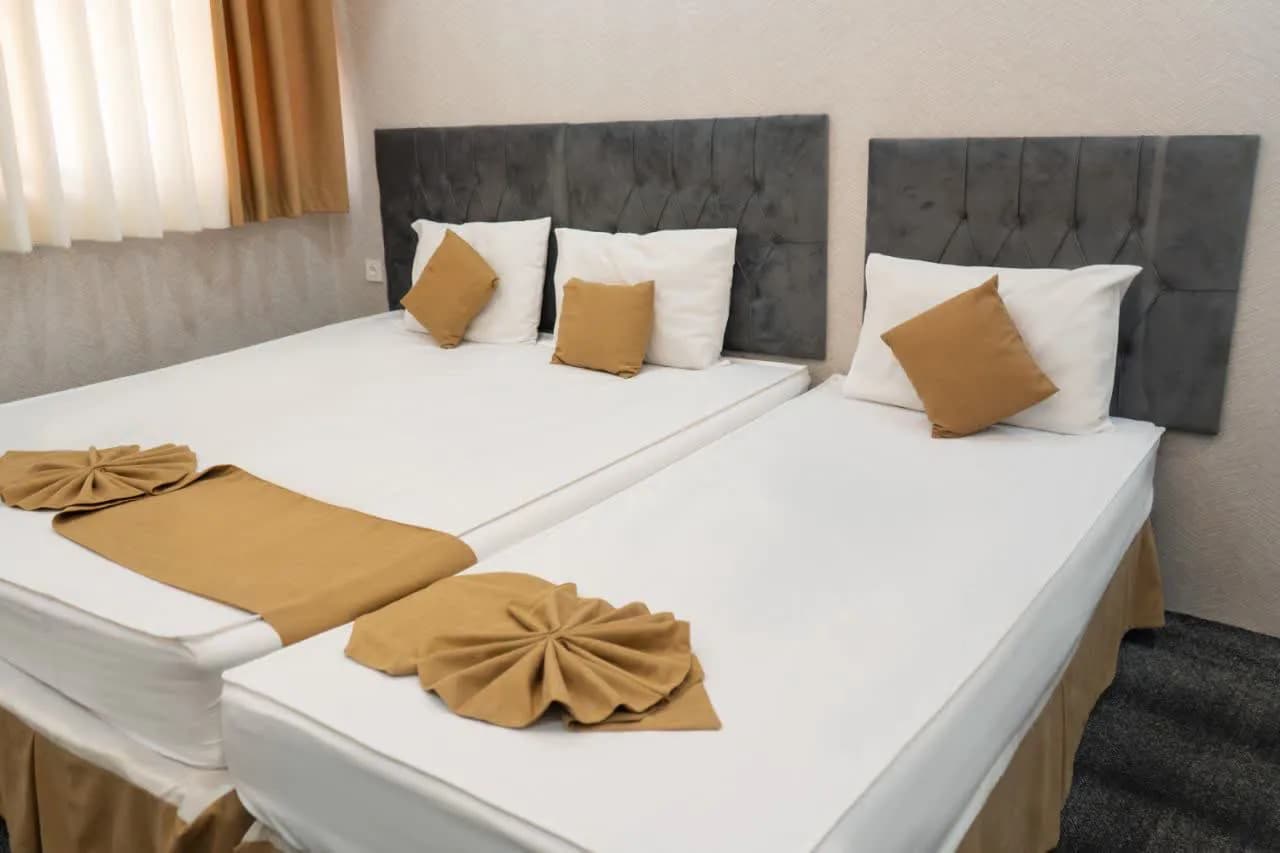
Triple Room
-
Package Price
Provider package price

Mohammadi Shahan Hotel Apartment
Accommodations
If you are looking for a stylish, comfortable, and centrally located accommodation near the Holy Shrine of Imam Reza (AS), Mohammadi Shahan Hotel Apartment is one of your best choices. This hotel is perfectly situated on Navab Safavi 11 Street in Mashhad. With just a pleasant 4-minute walk, you can reach the Holy Shrine, allowing you to enjoy the pilgrimage without worrying about traffic or crowds.
The property features private open parking for guests’ convenience and clean, well-equipped rooms with a capacity of 2 to 4 people, making it perfect for families and groups. All rooms are furnished with amenities such as a hairdryer, vanity table, wardrobe, and free high-speed Wi-Fi, ensuring a completely comfortable stay.
The hotel restaurant offers a delicious and pleasant experience with a breakfast buffet and à la carte lunch and dinner options. The variety and high quality of the food mean you can enjoy fresh, healthy meals in a peaceful environment without needing to leave the hotel.
To book this hotel apartment, you can simply visit the “Zavaran” website, pay the deposit, and confirm your reservation with peace of mind before starting your pilgrimage.
Important Information
- • This service can be booked without choosing a specialist first
- • This service uses date-range availability
- • No upload requirement is configured for this service yet
- • Final treatment plan and price can depend on provider assessment
Providers offering this service
Compare clinics and providers that can deliver this treatment.
Similar services near you
Compare trusted alternatives in IR
Patient Reviews
Provider policies
House Rules
Check-in/out: Check-in time is 14:00; Check-out time is 12:00.
Single Woman: Accommodation is subject to presenting valid ID and an official letter from the “Amaken” (Public Places Supervision Office).
Temporary Marriage Certificate (Sigheh): Must bear an embossed notary seal AND an official letter from “Amaken”.
Half-price policy: Accommodation for children under 3 (if no extra service is used) is free. Children between 3 and 5 years (if no extra service is used) are charged at half-price. Note: Free or half-price accommodation applies to only one child.
Cancellation Policy: Rates for peak and off-peak seasons vary depending on the hotel. The exact fee is determined after inquiry.
Frequently asked questions
What does the price of this service include?
Check “What's Included” on this page. If the service is sold as a package, you'll see the package price and any saving. A price converted from another currency is marked “Converted from” with the original amount. The final treatment plan and price can depend on the provider's assessment. Current deals and their codes are under “Active offers”, and you enter a coupon at “Review & Pay”.
Which providers offer this service, and how do I compare them?
“Providers offering this service” lists the clinics and providers that deliver it, with their price and details such as location, rating and response time where listed. Tap one to open that provider's version of the service, or open the provider's own page to compare policies, languages and reviews. If there are many, tap “Show more” to see the rest.
Do I need to choose a specialist for this service?
It depends on the service. Under “Important Information”, the page says either “Specialist selection may be required during booking” or that the service can be booked without choosing a specialist first. The “Specialists” section lists who performs this service; tap a name to open their profile, places of work and credentials.
How do I choose a date and time, and when is my booking confirmed?
Tap “Book Now” and pick a date and time in the “Schedule” step, where only available times are offered. Stays and other date-range services ask for start and end dates instead. Availability is confirmed during booking. Some providers review each request, so your booking may show “Pending confirmation” until the provider confirms it. You can follow the status in “My bookings”.
What documents do I need for this service?
Check “Requirements before booking” on this page. It lists each document the provider asks for, marks the mandatory ones, and gives the file count and size limits. Medical or identity documents may be requested. If you ask LSevin to arrange extra support services while booking, you upload them in the “Files” step, and they appear later under “Uploaded documents” in your booking.
Can I change or cancel my booking?
To cancel, open the booking in “My bookings”, tap “Cancel booking”, add a reason if you like, and confirm. There's no reschedule button in the app, so to move to another time, book the new slot and then cancel the old one, or contact LSevin support for help. Paid amounts may be refundable depending on the provider's policy, which you'll find under “Provider policies”.